Building Static Sites with React
A tutorial about how to scaffold a website using Create React App, and optimise it for performance with static pre-rendering at build time and wire ... read article
A tutorial about how to scaffold a website using Create React App, and optimise it for performance with static pre-rendering at build time and wire ... read article
Latency is the amount of time it takes for a round trip to a server to receive data from a request. The amount of latency ... read article
A closure is a function which is able to remember and access its lexical scope even when that function is executing outside its lexical scope. ... read article
Flexbox is now well supported, so using a grid system based on Flexbox offers some key advantages over floats such as simpler syntax, equal height ... read article
Hand coding SVG is a good way to understand exactly how shapes are rendered to the screen, useful knowledge for implementing simple UI components or ... read article

Learning web development: an eternal work in progress I remember using JavaScript years ago to hack together a random image box. It was a copy/paste ... read article

Sass is a total game changer for CSS development. It not only simplifies the code management and structure, but brings many powerful tools to the ... read article
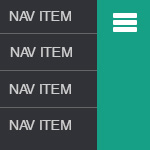
A tutorial about how to create a mobile navigation component for a responsive website with a slide out animation Commonly found in mobile apps, this ... read article

Have you followed all the steps for Google Authorship on your blog but your profile photo still does not appear in the search result snippet? ... read article

There are endless options for adding a shopping cart to a website, but sometimes we're not dealing with products for sale and we need something ... read article

A tutorial about how to create a slider with images and text content in WordPress using the Advanced Custom Fields plugin Advanced Custom Fields is ... read article

Retina displays, or high pixel density displays are becoming more mainstream, so it's time to start adopting techniques to ensure our websites don't start looking ... read article

A tutorial about how to build a dropdown menu in WordPress using Twitter's Bootstrap framework. Step one outlines how to create a static mockup of ... read article

The code in this tutorial does not work with NextGen version 2.0. You will need to use an older version such as 1.9.6 if you ... read article

Everything is an app. Well, maybe not, but it seems that we're heading that way these days. Whilst there are obvious merits to developing native ... read article

An adaptation of the grid based responsive web design techniques, simplified into four different layout states for design: widescreen, traditional, tablet and mobile.
There are now thousands of articles online about WordPress custom post types, however this guide aims to distill all the information into a handy reusable ... read article

Helvetica is a popular font among graphic designers, however it is not commonly installed on Windows/PC devices. An alternative approach is to use a hosted ... read article

A case study demonstrating the difference between 'organic' search engine results via SEO and Google AdWords advertisements via CPC, and the comparitive effectiveness of traffic ... read article

Web design is undoubted seeing a shift towards "device agnostic design" thanks to the proliferation of mobile devices and tablet computers, which essentially means the ... read article

Hub pages link together similar content, presenting a central page to your website visitors of related pages. Not only does this provide an opportunity to ... read article

How to customise page title and meta description for optimising your store. Below is a short how-to guide for setting your own page titles and ... read article

How to create your own image slider or fade slideshow with the jQuery cycle plugin using NextGen Gallery for image management.

Making the tracking code work with Interspire Shopping Cart 6 Chances are that you've landed here because you've got a store running Interspire Shopping Cart ... read article

Check out my recent article about using Flexslider with NextGen Gallery here. How to customize thumbnail links in NextGen I recently did a client project ... read article

Custom post type breaks after upgrade to 3.1 I routinely upgraded a client website to WordPress 3.1 today and upon clicking the menu title of ... read article

The new kid on the SEO block has blown away the competition, in my opinion. This WordPress SEO plugin is packed full of great features. ... read article

I am excited to introduce Mike Tate, a link building consultant and online marketing strategist, to whom I have begun referring clients wishing to focus ... read article
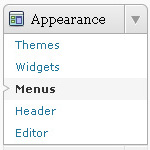
A short video demonstration of how to use the Wordpress 3 menu manager. The demo shows how to reorder your menu items using the drag ... read article

How to create a drop down menu using the new Wordpress 3 menu function, combined with the Superfish jQuery plugin. This guide shows you how ... read article